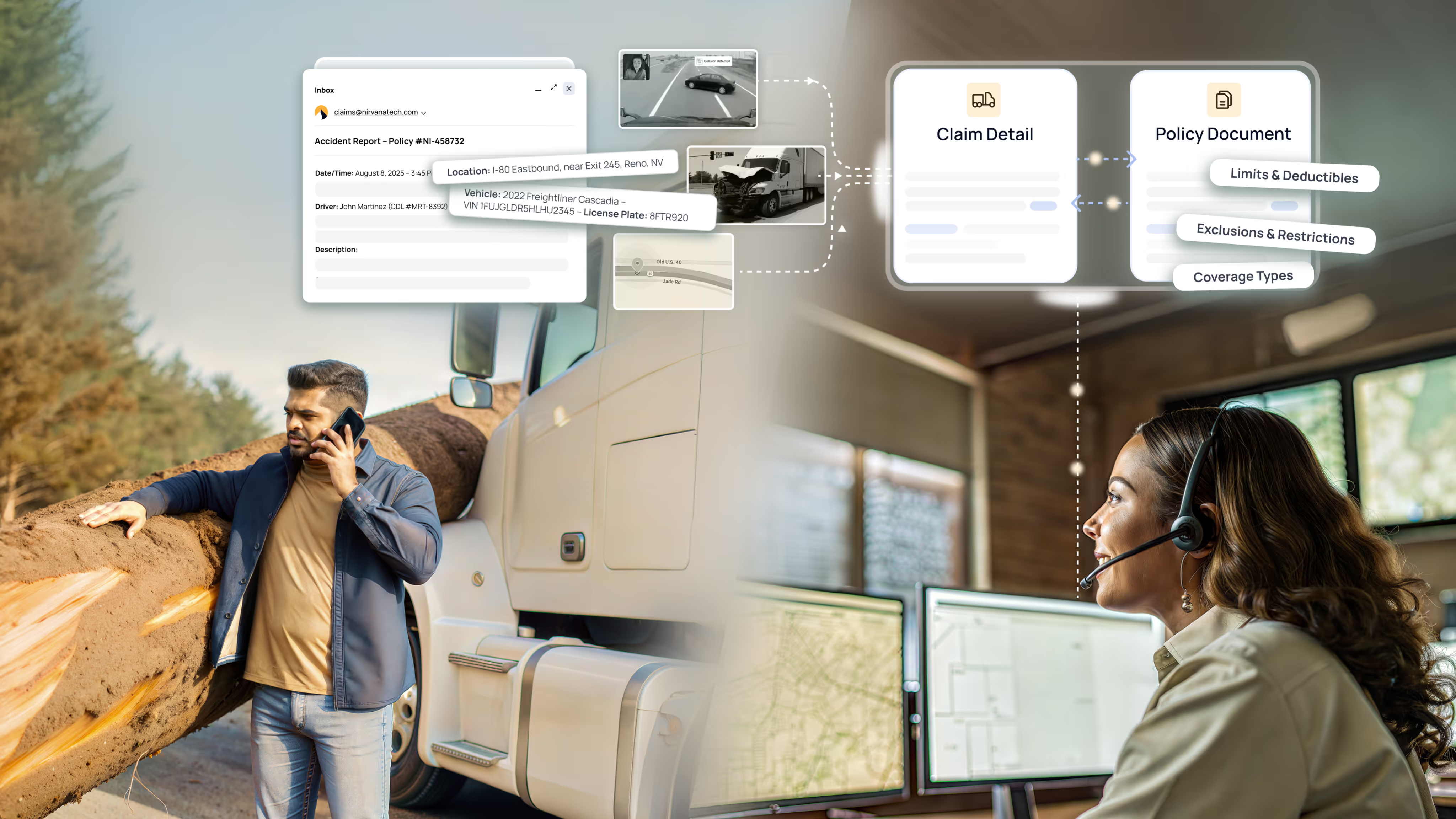
Most “AI for support” tooling points downstream. It routes tickets faster, drafts replies, summarizes threads. The appeal is real, and so is the trap: you get very good at processing broken things. The queue moves quicker, the CSAT ticks up a point, but the ticket category stays alive. Next week it generates the same volume it did last week.
We took the opposite bet. Over the past month, we used AI to eliminate entire classes of support work at the root. Here’s what that did:

And we did it with zero headcount additions and zero chatbot deflection. Nothing was hidden behind a bot or shipped off to a bigger queue. The work is simply gone.
A recurring ticket is a product signal
At Nirvana, our Technical Support Engineering team operates as a TSE/SRE hybrid. That distinction is the whole story. A traditional support org sees a recurring ticket as a workload to staff against. We see it as a product signal: evidence that something upstream is generating friction on a schedule.
So we don’t optimize the queue. We trace the ticket back to the code that produced it, and we remove the thing at the source. AI is what makes that economical: debugging, log spelunking, test-writing, and code review that used to take days now take hours. That means “fix the root cause” competes with “answer the ticket” for the first time. When fixing the source is faster than fielding the fallout, the math changes.
Where we pointed AI: upstream
Every one of these was handled case-by-case before, ticket by ticket, week after week. Now none of them exist.
1. We retired a legacy file uploader
An aging third-party file uploader was a recurring outage source, and every outage spawned a cluster of support tickets plus the Jira incidents that trailed them. Rather than keep triaging the symptoms, we replaced it with an in-house solution. That didn’t just reduce the ticket category; it removed it, along with the incident load attached to it.
2. We hardened the input layer
A class of invalid submissions was slipping through and tripping server errors downstream. We hardened the input layer to reject those edge cases at the gate. The errors they used to trigger, and the escalations that followed, stopped arriving.
3. We made silent Salesforce sync failures visible
Some of what came in as “data integrity” escalations turned out not to be a data problem at all. Records were syncing to Salesforce and occasionally failing silently: a visibility gap, not a corruption bug. We patched the dropped syncs and surfaced the failures instead of letting them disappear. The escalation category dried up because the mystery behind it did.
4. We turned telematics re-homing into one click
Re-homing a fleet’s telematics connection used to be a manual, multi-step operation: a direct database write plus a Salesforce update, run by hand every time. We rebuilt it as a clean, one-click action inside our support app. What was an error-prone internal procedure, and a steady trickle of tickets, is now a button.
The shift is where AI sits in the loop

The lesson isn’t “we added AI to support.” Plenty of teams have. The lesson is where we put it: upstream of the ticket, not downstream of it.
Downstream AI helps you survive the volume. Upstream AI helps you delete it. Both are useful, but only one bends the curve. Point the tooling at what keeps generating work: the flaky dependency, the unvalidated input, the silent failure, the manual runbook. Fix it at the source, and measure the impact on the categories themselves, not just on handle time.
One month in, that approach cut our ticket volume by 10%, our Intercom conversations by 24%, and held CSAT above 99%, without adding a single person or hiding anything behind a bot. And we’re just getting started.
Where are you using AI upstream vs. downstream today?
Because the real shift in support isn't about answering faster, it's about removing the need for a ticket in the first place.