The Anatomy of the Interruption Tax
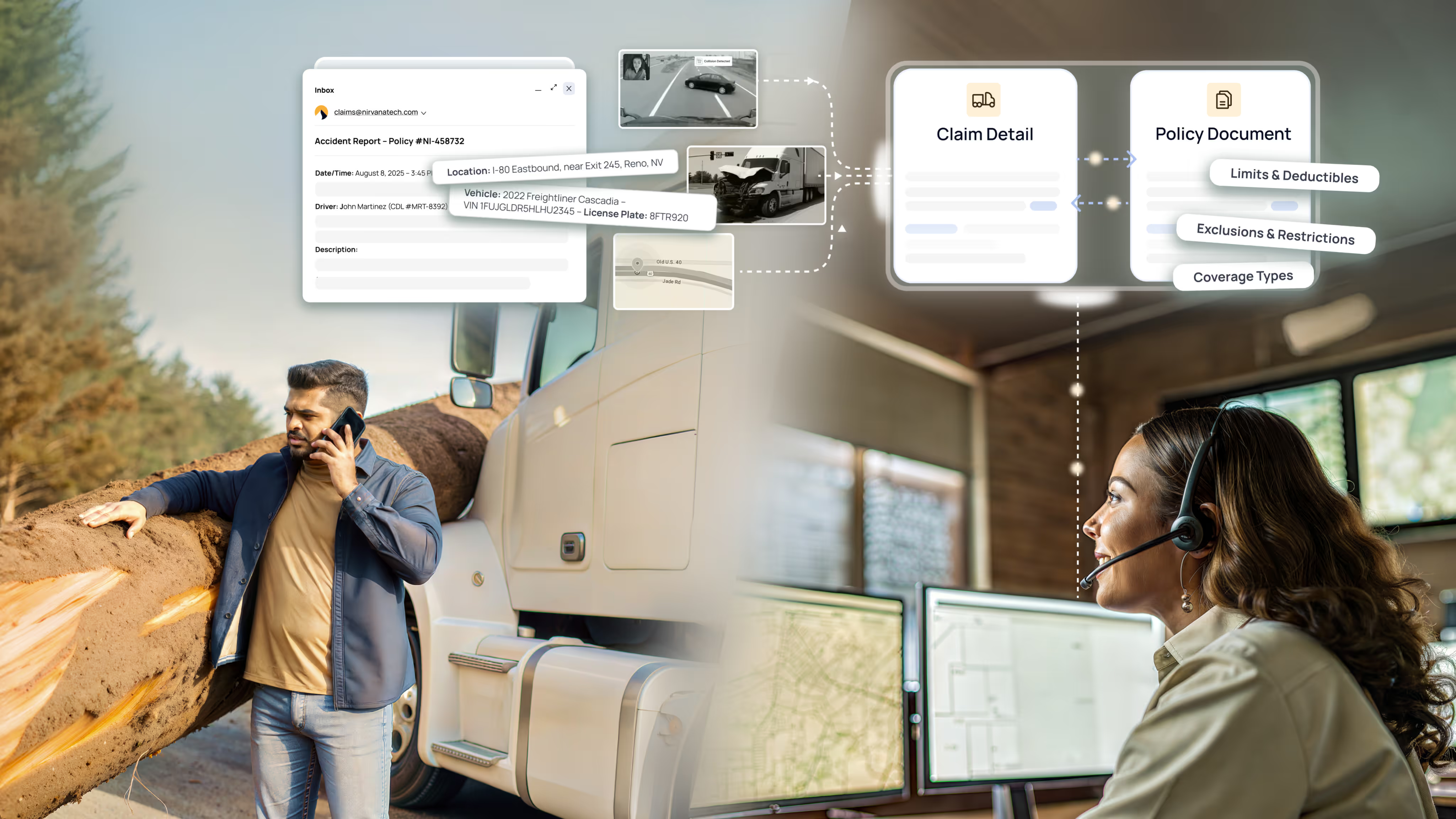
Nirvana is an insurtech. The work that runs the company is knowledge work. An underwriter is moving on a submission. A BD manager is closing a producer. An engineer is shipping a release; a PM is scoping the next one. An executive is choosing what to fund. A finance lead is reconciling a number. Different jobs, different days.
None of that is only a data problem. Appetite, loss history, pricing, filings, and policy state already sit on one connected platform, which is a large part of why a small team can run the volume it does. The hard part is everything between the data and the decision: the repeated procedures that no one has ever had time to make executable, and the half-knowledge that lives in the person who has done the workflow often enough to know which exception matters.
Most of these people spend a real chunk of the day waiting on someone else. The wait is usually not a knowledge gap. The person asking knows what they need. The person who could answer usually has the answer. The interruption is the cost.
Paul Graham wrote the cleanest version of this argument in "Maker's Schedule, Manager's Schedule". A manager's day is a sequence of one-hour blocks; an interruption is a transaction. A maker's day is a half-day at a time, because the work compounds. Drop a meeting into the middle of a maker's afternoon and you don't cost them an hour. You cost them the afternoon. The cost is paid by the person being interrupted, not by the one interrupting.
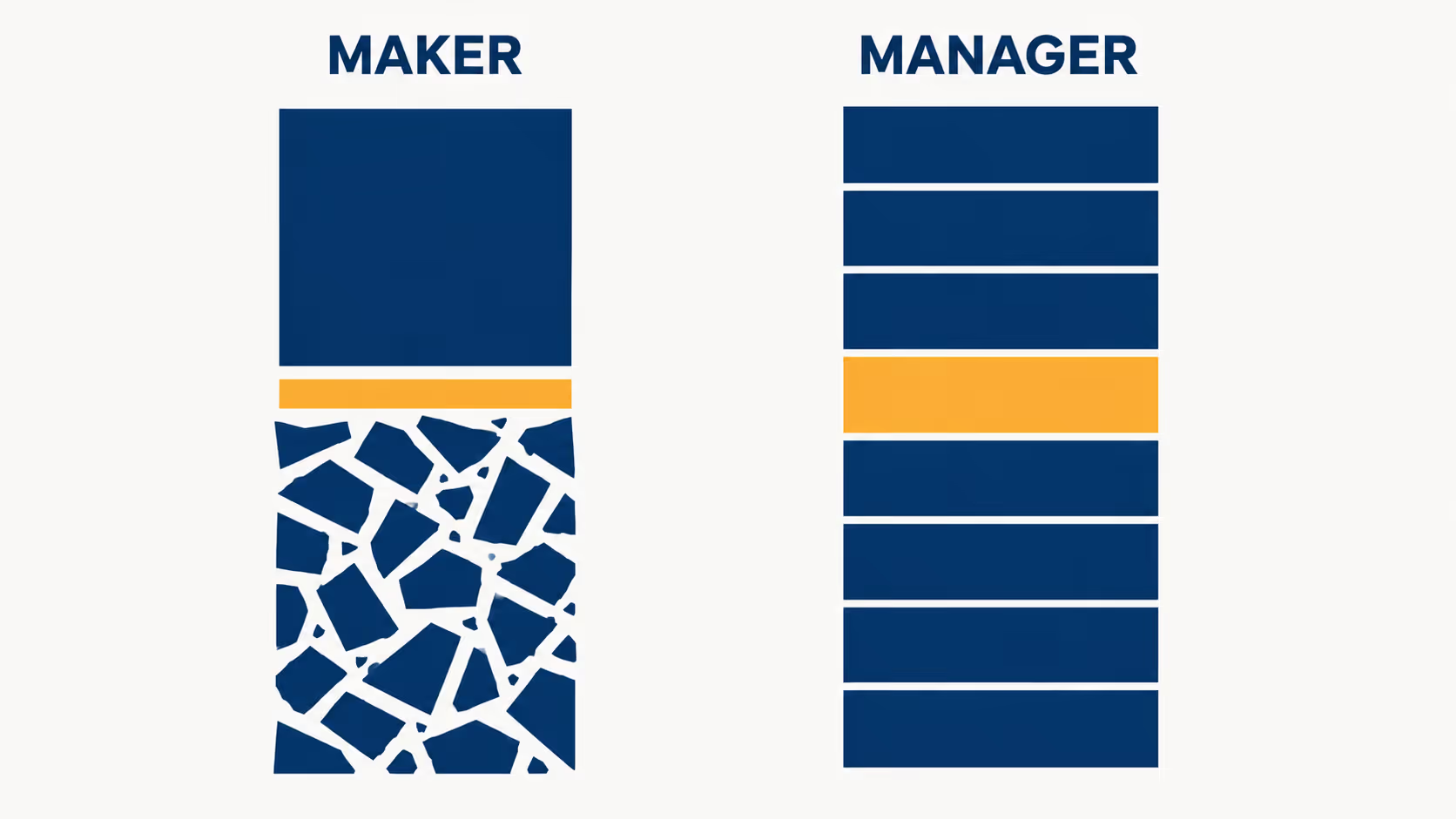
Most cross-functional questions inside a company are some version of that. An underwriter wants finance to confirm a number. A PM needs an engineer to explain how a system actually behaves. Replay that across every function. The asker pays a minute. The answerer pays an afternoon. Across a few dozen knowledge workers, the slowest resource in the company is not any one team. It is the cost of moving shared knowledge between two people who both already have it.
That is what AI changes. An agent already wired into the company's data, definitions, and tools does not have a schedule to defend. Asking it does not pull anyone off what they were doing. The answer comes with the procedure attached, so the next person does not have to ask.
That was the useful starting point for Nirvana AI. The company did not need another place to ask questions. It needed a way to stop paying the interruption tax on work it was already doing.
Two jobs followed. The first was to take the questions people kept asking each other and make them precise enough to run against real company context. Most internal questions are ambiguous until someone has to write a procedure to answer them. The agent's job is to force that definition into the open. The second was to keep the answer, so the next person did not have to ask again.
Distribution Over Elegance: The Weekend MVP
We originally tried not to build a new product surface at all.
The obvious move was to put an existing agentic tool in front of the company. Maybe everyone could use Claude Code. Maybe Cowork could become the internal interface. Maybe the people who already had Cursor could wire up Metabase themselves, pull the data they needed, and ask the model to help with the rest.
That sounded reasonable until it met the actual adoption constraint.
Cowork did not support custom plugins at the time, so it could not reach the company-specific systems we needed it to reach. Cursor was powerful, and many people on the team already had it, but "powerful if you wire it up yourself" is not the same thing as a product. In theory, someone could connect the right database, find the right Metabase question, paste the right context, and get a useful answer. In practice, they would not. Every extra step becomes a reason to ask a person instead.
So we stopped optimizing for elegance and optimized for distribution. The system had to meet people where they already worked. It had to require no setup, no local environment, no tool configuration, and no ceremony. If asking the agent was even slightly harder than pinging the person who knew the answer, the person would get pinged.
We wrote v1 over a single weekend.
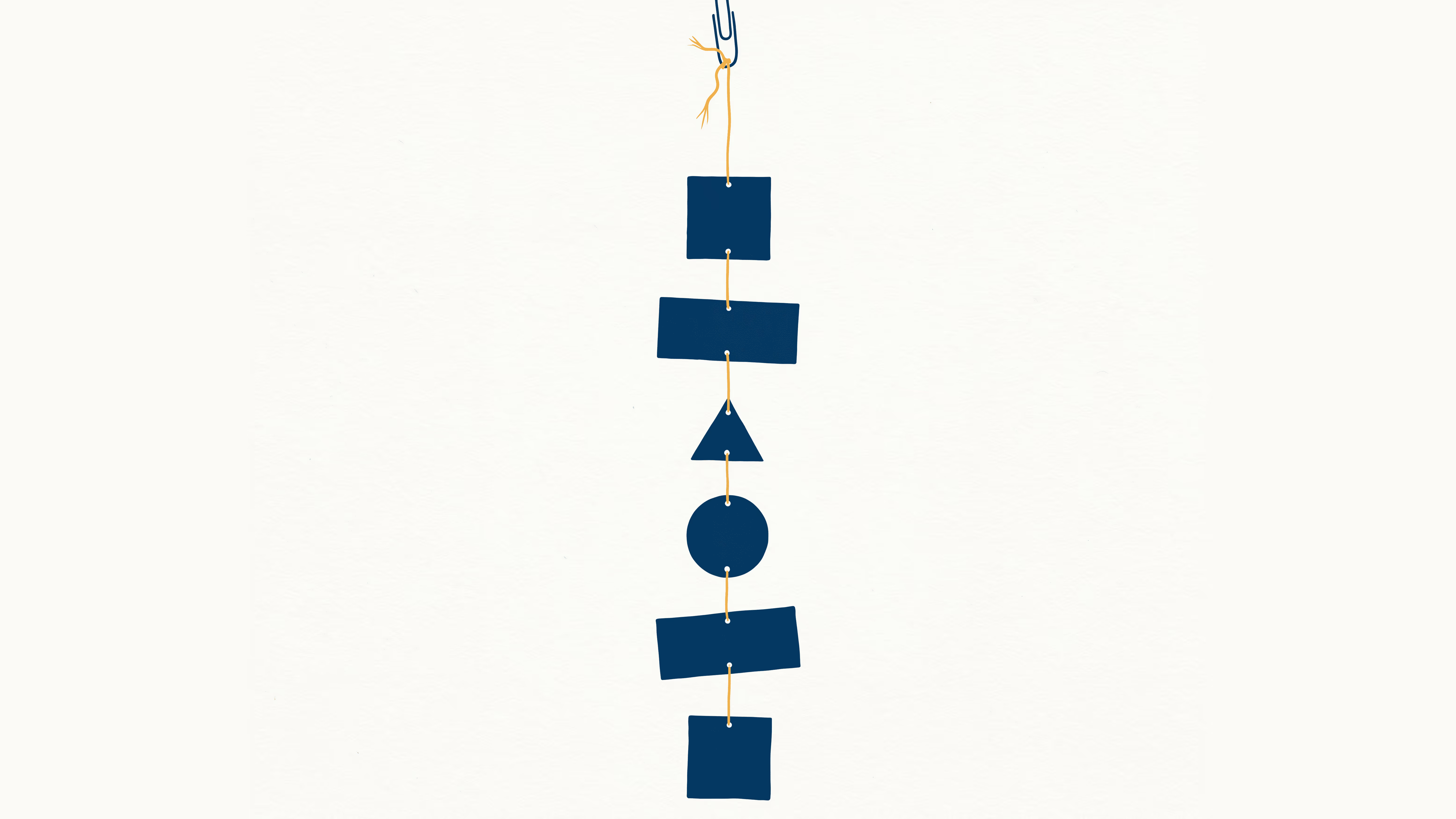
The stack was intentionally direct: a serverless hosting platform for the frontend, isolated cloud sandboxes to give the model a safe place to execute code, and a prebuilt agent SDK for the reasoning loop. We wired it into Slack and gave it read access to our read replica database. The first version was not trying to be a grand operating system. It was a thin chat surface with enough permissions, context, and execution ability to answer the routine questions people usually sent across the company: funnel checks, segment cuts, sanity checks, definitions, and the small analytical chores that sit around until someone with context has a free hour.
It worked, which immediately made it break in more interesting ways.
Once people had a zero-friction path into company context, they stopped treating the system like Q&A. They wanted it to reach the actual database, read an attached document, remember what was checked last week, run again on Monday morning, and drop the result exactly where the team was already working. A simple question would turn into a workflow: pull a query, join it against a spreadsheet or PDF, normalize the dates, check a definition, generate a file, revise it, and save the procedure because someone would need the same cut next Friday.
That was the first real product signal. People did not just want answers. They wanted motion. They wanted to hand off the repetitive loop of pulling a number, checking the context, producing the artifact, and doing it again next week.
The dashboards started showing up almost immediately. Someone in BD wired payment-history data into an account-health monitor they had been building on the side. Within hours, a teammate replied with "+1, but for renewals." Then a third person, different team, different use case, said they were already pulling the same data into something else. By the time the engineering reply landed, six different people were stacked on the same integration thread. The runtime underneath was still a serverless app held together with an SSE stream. The demand on top of it was already a cross-team product.
Breaking the Web Stack: From Request to Runtime
The system did not fail in one dramatic moment. It frayed in the ordinary ways real usage exposes: SSE streams dropped, retries fixed one edge case while duplicating work in another, and partial replies left context in awkward states. The deeper issue was not any single bug. We had put long-running work on infrastructure built around a live request.
The browser tab was still acting as the tether. That is fine for a quick answer, but not for work that pulls data, reads files, writes artifacts, and may take several minutes. If the connection dropped, the backend kept trying to stream into a missing client. The sandbox could keep doing useful work, but the run no longer had a trustworthy owner.
The fix was to invert the lifecycle. The backend had to own the run, the UI had to become a viewer and controller, and every execution needed durable state, cancellation, replay, and artifacts that survived independently of the tab. The weekend build proved distribution. Real adoption forced the runtime.
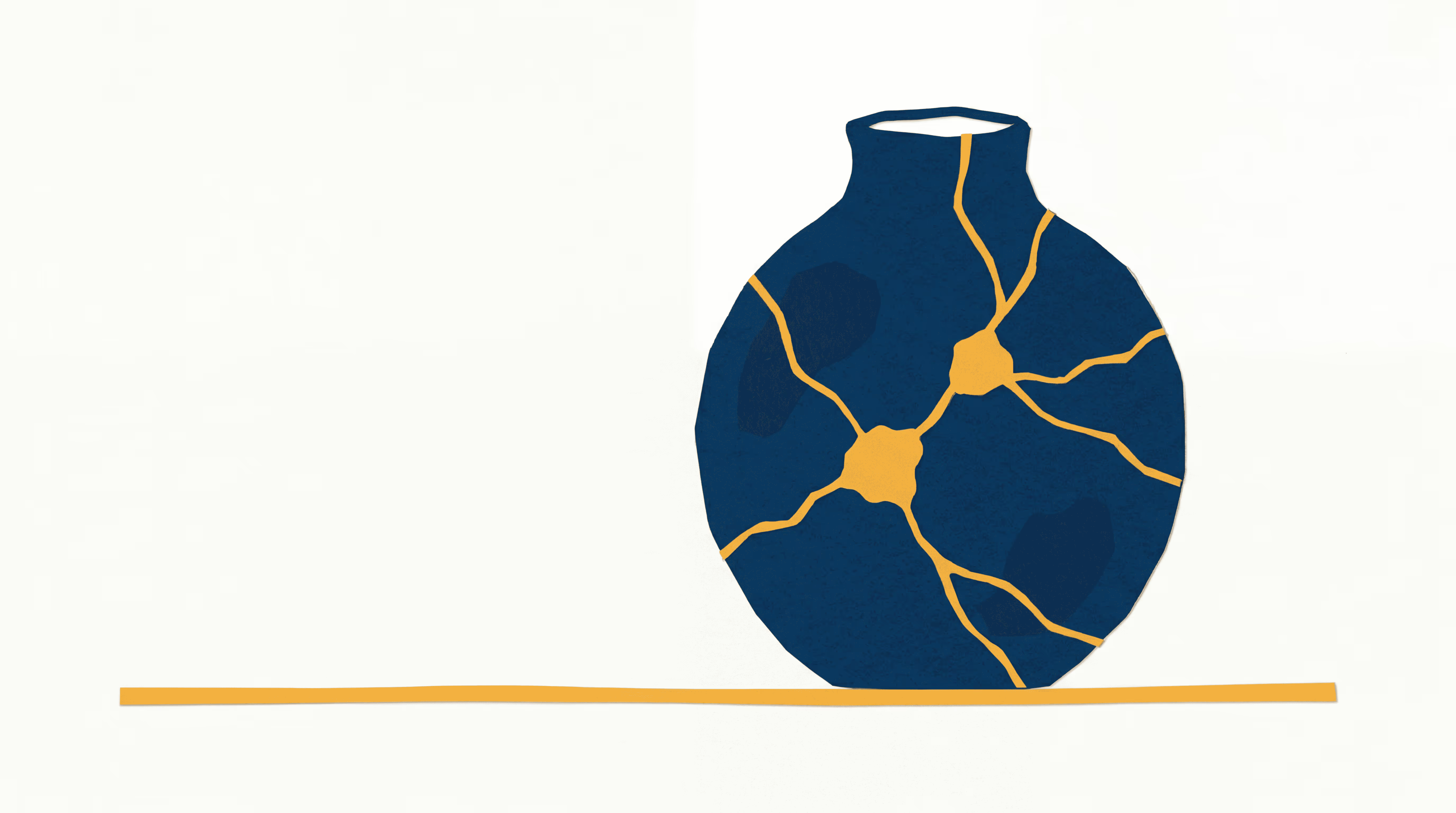
Moving Past MCP to Code-Native Action Spaces
MCP was the right first door. Anthropic introduced Model Context Protocol as a standard way to connect AI systems to external data sources and tools. For the first experiment, that was exactly the abstraction we wanted: a clean way for the agent to reach outside the chat window and touch real systems.
Then the requests stopped looking like tool calls.
MCP was excellent when the action was a verb: search, fetch, read, post, update. The work people brought us was messier. A user would ask for a number, then the number needed a spreadsheet, then the spreadsheet needed to be reconciled against a policy document, and so on for the rest of the afternoon. The useful unit was not the tool call. It was the little program hiding between the tool calls.
There was a more practical problem too. Most off-the-shelf MCP servers were shaped like the APIs behind them, not like the agent using them. They exposed generic operations and returned API-shaped payloads: nested objects, boilerplate fields, pagination metadata, and raw JSON that made sense to a developer reading docs but not to a model trying to finish a job. Every unnecessary field became context. Every under-specified response became another round trip. The protocol was clean; the tool surfaces often were not.
That taught us the wrong lesson at first. We could keep adding MCP servers, then keep wrapping, filtering, summarizing, and repairing their outputs so the agent could use them well. Or we could admit what the patches were telling us: the useful integration was not the generic connector. It was the company-specific, context-aware operation sitting one layer above it.
That was the line MCP could not cross for us. It could remain the integration boundary, where schemas and permissions matter. It could not be the place where the work itself lived. The model needed a workbench: somewhere to hold state, compose operations, recover from errors, and leave behind an artifact a person could inspect.
The outside research rhymed with what we were seeing. CodeAct argued for executable code as an agent action space because code carries control flow. Cloudflare later described a similar infrastructure move in Code Mode: collapse a sprawling tool surface into a compact programmable interface. That was useful validation, but the decision did not come from a paper. It came from watching runs.
Code gave the agent a place to do intermediate work without dragging every row, PDF excerpt, and partial result through the context window. Files could stay on disk. Tables could stay in memory. Loops, retries, and validation could run on cheap compute. The model could inspect the result and revise the script, instead of carrying the whole process in short-term memory.
That did not make schemas obsolete. When the agent calls a known operation, the arguments should still be typed, the permission should still be explicit, and the integration boundary should still be narrow. But the operating layer could not be reduced to a chain of schema-shaped, one-hop calls.
The decision became simple: keep schemas at the boundary, and let code become the work layer inside the sandbox. MCP got us through the first door. It did not survive as the runtime.
The SDK as an Operational Workbench
Once the agent could write code in a sandbox, the next question was not how many tools we could give it. It was how little friction we could leave between the model and the work.
The SDK was the answer to that. Not a wrapper around every internal API. Not a long menu of one-off functions. A workbench the model could use to assemble a real script: pull data, search context, check recent discussion, join records, write a file, and publish the result without bouncing through a dozen model turns.
The shape of that SDK did not come from guessing abstractions in advance. It came from the integration loop. I would sit with a team, understand the work they repeated most, watch how the agent tried to do it, and then read the traces afterward. Where did the run spend tokens? Where was the agent reasoning about an integration quirk that the SDK should have hidden?
I learned the shape of the SDK from the traces, not from architecture diagrams. The pattern that kept coming back was an agent solving the same problem from scratch in conversation after conversation. Once a workaround showed up often enough to feel like a signal, the SDK absorbed it, and the next runs stopped thinking about it.
That became the weekly compression loop: observe the work, find the waste, move the repeated step down into the SDK, and try again.
A representative script started to look more like this:
The exact API is not the point. The shape is. The agent could pull from Metabase, search company knowledge, check Slack context, join data, produce a file, and send the result back to the team inside one execution path. The model still decided what to do, but the repetitive parts stopped ricocheting between the model, the sandbox, and a pile of separate tool calls.
That mattered because the same moves kept coming back. The same denominator kept needing the same cleanup. The same date axis kept needing the same normalization. If the agent kept rewriting that code from scratch, the SDK was still too low-level.
So the SDK became a compression layer. It compressed tokens by returning only the fields a task needed. It cut latency by batching work that used to happen across multiple turns. And it absorbed the operational quirks of every integration in one place, so the model didn't have to rediscover them in every script. That was the same broader lesson as code execution itself: filter before the model sees the data, and let cheap compute handle the intermediate work.
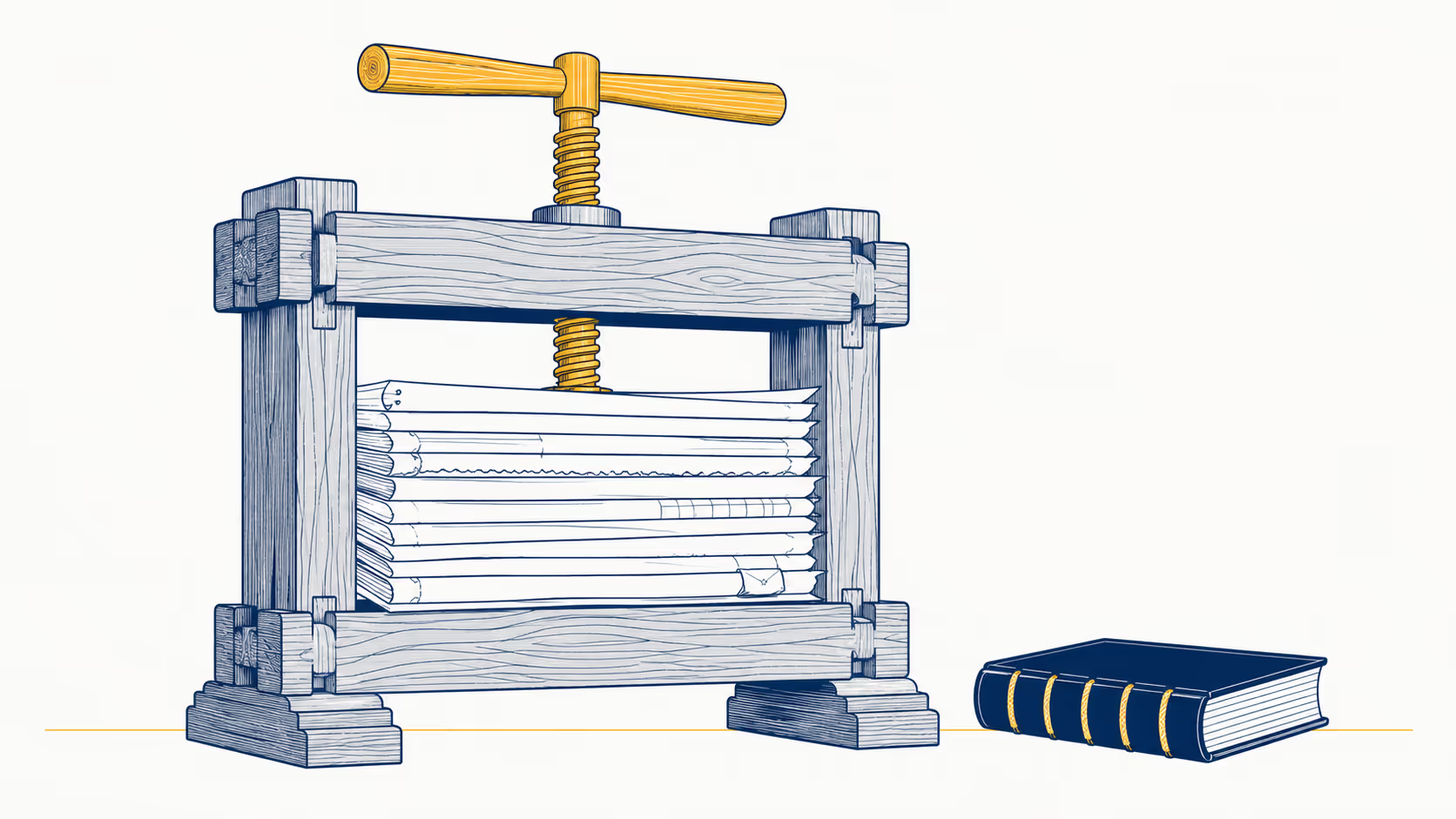
It also made debugging less mystical. A saved workflow was not just a prompt hoping the model would behave the same way next time. It was inspectable code with explicit inputs, approved integration calls, artifacts, logs, and a failure surface a human could replay.
The same layer became the safety boundary. The agent could run code in an isolated sandbox and call approved operations. It could not become the production server. It could not reach credentials that were not mounted into that conversation.
By the time workflows started running on schedules, these details stopped being polish. They were the difference between a clever demo and a system people could trust to keep doing the work.
The Durable Execution Rewrite
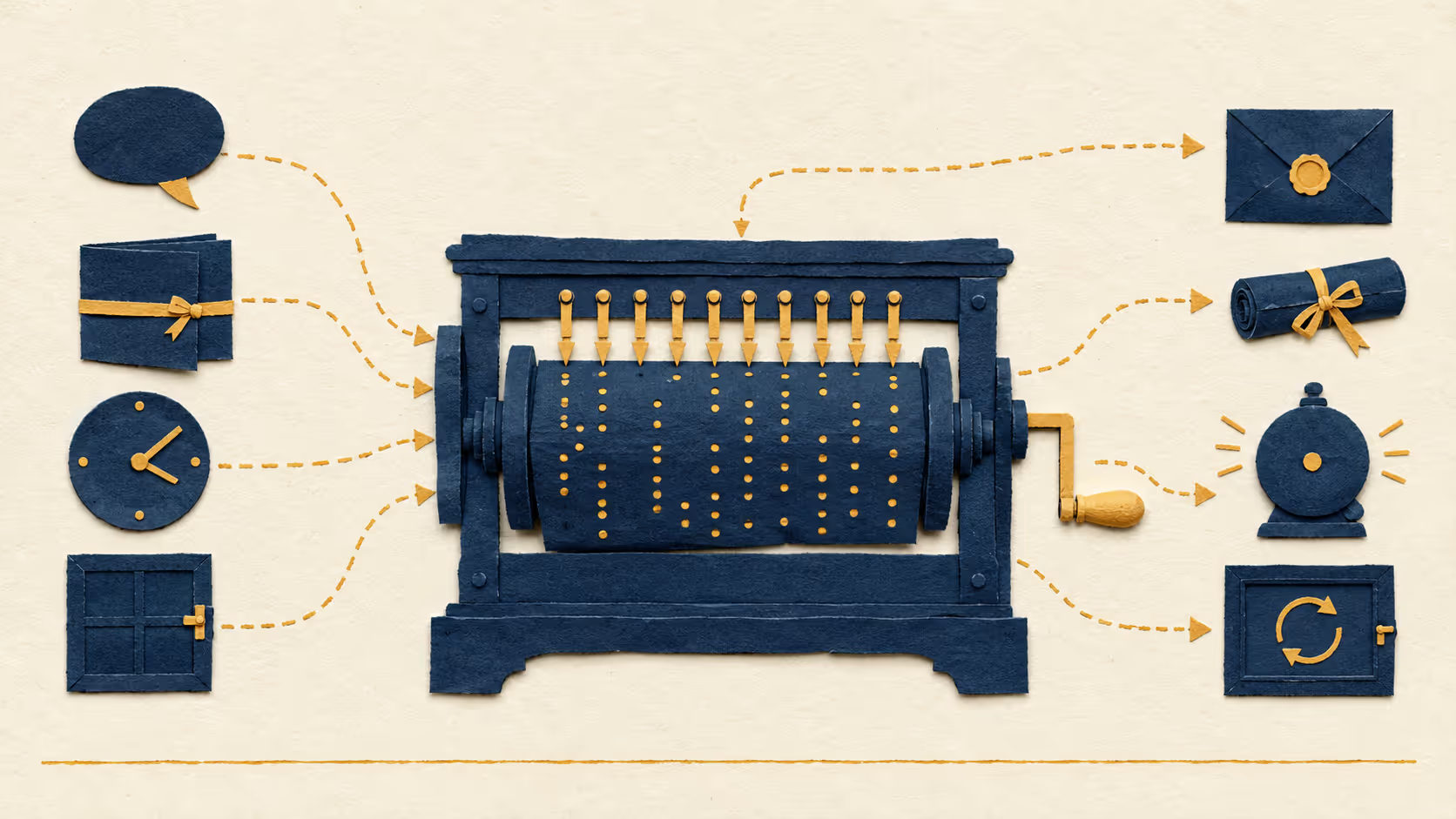
By then, the problem was no longer diagnosis. The weekend build had already shown us that the UI could not own company work. The SDK gave the agent a clean way to do the work once it was inside a sandbox. The runtime still needed a way to keep that work alive.
The rewrite split the system into two responsibilities: one piece owned the run, and another piece owned the computer the agent used to run code.
The execution spine had to be boring. We looked at lighter queues, cron, and newer durable-execution systems, but the deciding factor was production maturity. We wanted a workflow engine that had been around long enough to have the production scars we did not want to collect ourselves. What we needed was the standard set: workflows with persisted history, retryable activities, task queues, signals, timers, and recovery after infrastructure failure. We did not need novelty. We needed a run to have a memory.
That distinction mattered. A conversation stopped being a stream of tokens back to the browser and became a workflow the backend could manage: start it, execute steps, heartbeat during long work, retry only the pieces that were safe to retry, cancel cleanly when the user asked, time out when something was unhealthy, and preserve enough history for someone to replay what happened later.
The browser became a viewer and controller. It no longer owned the work.
The sandbox layer was the harder choice. The agent still needed a computer, but not a disposable cell that vanished the moment a request ended. It needed files, dependencies, logs, scripts, intermediate outputs, and enough state for a person or a later run to inspect. Our benchmark came down to two things: how fast a sandbox could go from cold to executing code, and whether the platform exposed real lifecycle controls. Stop, archive, recover, auto-stop, auto-archive, auto-delete.
The filesystem mattered more than it sounds. For this kind of agent work, the filesystem is where the work happens. The model writes scripts, downloads files, creates CSVs, renders charts, leaves logs, and often needs to return to that state later. Archived sandboxes that preserve filesystem state for longer-term recovery matter the moment someone comes back to a piece of work after the hot path is over.
That split let us stop pretending every run had the same shape.
A chat run is interactive. A person reads the result, often uploads another file or corrects the denominator before continuing, and the workspace stays warm for a while.
A scheduled run is cleaner. Start, do the work, publish the result, let the environment go.
An app refresh is its own shape, with parameters, permissions, and a user waiting for the surface to update.
The important decision was reuse. Chat, saved workflows, schedules, and app refreshes all entered the same execution model. A schedule was not a cron string attached to a prompt. An app refresh was not a one-off background job. They were different ways of starting the same kind of run.
.avif)
That was the point where the story shifted from runtime to product. Once execution was durable, the next question was not whether the agent could finish a run. It was what the run should leave behind.
Evolution of the Core Product Primitives
Primitive 1: Artifacts
Once runs could outlive the tab, the next question was simple: what did the work leave behind?
The first answer was not an app. It was an artifact.
That matched how people were already using the system. They did not only want a sentence in chat. They wanted a CSV they could send to a teammate, a report they could review, a chart for a meeting, or a PDF with supporting detail. Something that could move outside the conversation.
A chat answer is useful while someone is reading it. An artifact is useful after the run ends.
So outputs needed a real object layer. Not temporary files sitting inside a sandbox. Not links that only made sense while the conversation was warm. We built an artifact system that gave every run durable outputs people could find later, share, preview, download, and trace back to the conversation that produced them.
That last part mattered more than the storage. If someone opened a report the next morning, the file alone was not enough. The system needed to know which inputs were used, what code ran, what files were touched, and what the agent did along the way. Trust came from the trace behind the artifact.
The first time someone iterated on a monthly metrics report, the agent rewrote it in a way that broke it. They asked the chat to undo what it had just done. The chat said the prior version was gone. It wasn't. The app's version panel still had it. One click of revert, and the report came back. The artifact survived a model decision that should have erased it. I learned not to believe the agent when it said something was unrecoverable.
Artifacts also showed us the path from one-off work to repeatable work. A user correction was rarely just a writing note. It usually changed the procedure: use this denominator, use this date axis, split these categories, export it as a PDF, send it to this audience. The artifact made the change visible. The next product step was preserving how to make it again.
Primitive 2: Workflows
That correction loop became the product behavior that mattered most.
A user would say the denominator was wrong. Or the report should use effective date instead of submission date. Or two categories needed to be split because they only looked similar in the raw data. Or the output should be a PDF instead of a table in chat.
A normal chatbot can use that correction for the next answer. Nirvana AI had to keep it.
The first time I saved a workflow, I thought the hard part was teaching the model what to do. It wasn't. The hard part was capturing what the human had corrected in a way the next run could trust.
That is why workflows became the bridge between conversation and product. A workflow was not a prompt with a name. It was the working procedure: code, inputs, SDK calls, permissions, artifacts, and run history.
We reused the same code-mode pattern here. If a corrected run worked, the saved workflow should not depend on the model rediscovering the same reasoning every time. The agent could still adapt where the world changed, but the repeated part had to become as deterministic as possible: stable inputs, stable code paths, explicit boundaries, and a trace that showed what happened when reality moved underneath it.
That was the difference between saving a conversation and saving work. A workflow that runs every Monday cannot be a hopeful replay of last week's chat. It has to preserve the parts that made the run succeed.
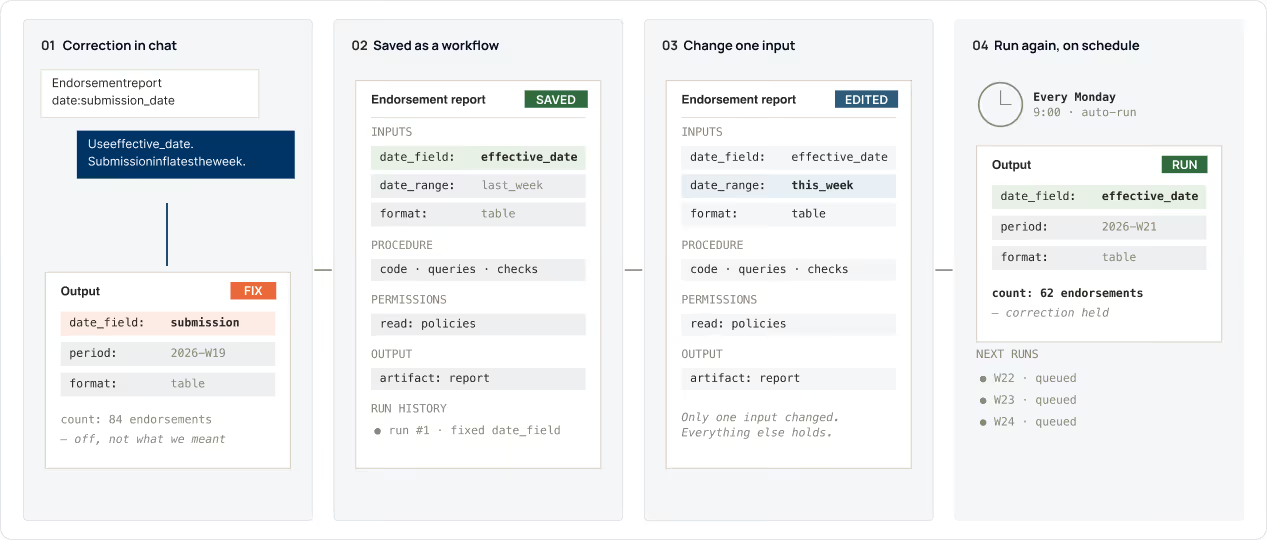
Once workflows existed, schedules were inevitable.
People were already asking the agent to do the same work again next week, tomorrow morning, or whenever a number changed. That could not become a cron string glued to a prompt. A scheduled run needed the same runtime as chat: the same SDK, sandbox rules, artifact publishing path, permissions, and replayable trace. The only difference was who pressed run. Sometimes it was a person. Sometimes it was time.
Once people started asking the agent to rerun the same kind of report every week, I knew schedules had to enter the same runtime as chat. Not a cron job calling an LLM. The same kind of run, started by the clock instead of a person.
Unattended work has to be boring in the right way. It needs timezone rules, overlap behavior, and a history someone can inspect. Every automation needed to leave behind a conversation-shaped record, not disappear into a background job log.
Primitive 3: Apps
Apps came from a very ordinary pattern.
People used workflows to make variations of the same artifact. Change the account. Change the time window. Run it again. Send the new file. Explain which version was current.
At some point, the artifact wanted a surface around it.
Once a workflow had parameters, refresh logic, and a repeat audience, the natural next step was not another static file. It was a small live surface where someone could change inputs, refresh the data, inspect the result, and share the tool instead of the latest artifact.
That kept apps grounded. An app was not a dashboard generator bolted onto the side. It was a parameterized workflow with a view: script, data, configuration, permissions, versions, logs, and health checks. Change an input, start another durable run, render the new result.
Then someone built an internal app for document review and asked a question nobody had asked yet. Could a teammate click a button on the app's landing page, get their own clone, and have a fresh config file generated in their own Drive, without ever having to request edit access on the original config? They didn't want their coworkers to use their copy. They wanted them to own their own copy. That stopped sounding like a chat feature. It started sounding like a request for a small, multi-tenant product.
.avif)
Guardrails for Generated Software
The hard part of apps was not getting the model to draw a table or a chart. The hard part was making a generated surface behave like software.
We did not want the agent inventing a full-stack application from a blank page every time. That would be too open-ended for something people were going to share and rerun. So we gave it rails: a custom React shell, prebuilt components, a narrow app-writing environment, and patterns built only for this job: render data, expose parameters, handle stale outputs, and preserve versions.
It was the SDK lesson applied to UI. The agent wrote code inside a shaped playground. A small language for internal tools, not full applications.
The app object followed that split. A script produced the data. A view rendered it. Configuration described inputs and state. A server-side execution path refreshed everything with the right permissions. Refreshing an app meant rerunning the script, storing fresh output, and rendering the view against that version.
Interactive apps added one more boundary. A generated frontend may need to trigger real actions, but the browser should never hold long-lived integration tokens. The app could ask the authenticated server to perform an approved action; the server resolved the credential, validated the action shape, recorded an audit trail, forwarded the request, and returned the result.
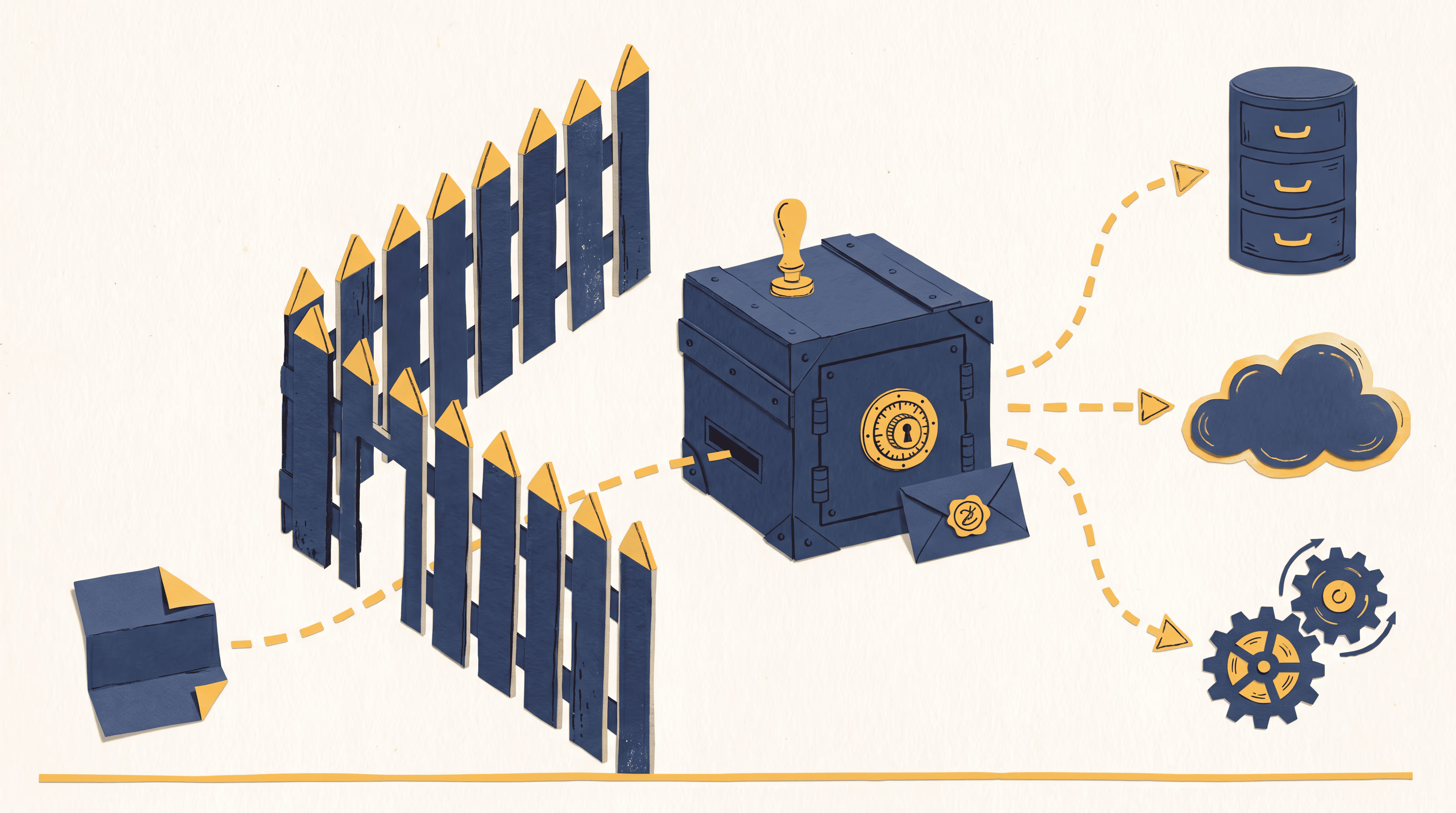
That gave generated apps a simple rule: read data through server-side scripts, and perform actions through controlled integration calls.
Browser automation fit the same pattern, but at the edge of the product. Some work still ended at a vendor UI, government registry, or legacy portal where there was no clean API. The agent needed to wait for JavaScript, keep a session, fill a form, download a PDF, or leave behind a screenshot as evidence.
That was not one tool. It was another provider surface. Some runs needed a hosted browser. Some needed local browser control. Some needed screenshots as proof. Some needed a human to take over for credentials or MFA. The runtime had to hide those differences behind one operational layer: start the session, preserve the evidence, charge the cost to the run, clean it up, and tell the user what happened.
The product rule was to use browser automation only where it belonged. It is useful when no better interface exists. Once a workflow becomes common enough, the better move is usually a native API, an internal bridge, or a dedicated SDK function.
Three and a Half Months In: The Operational Ledger
By the time apps had rails and schedules had a runtime, the host had become the bottleneck. The agent was bouncing through it on every read, every write, every script save. Ten round-trips for a job one script could have done in one pass. So we moved most of the work down. The host kept only the calls the chat UI had to react to in real time: charts, artifacts, apps, ask_user. Everything else became a function call inside the sandbox.
The launch slack channel mattered mostly because it was the fastest CI we had. Every message was a test case; most weren't filed as one. The useful failures were specific: a metric that looked right until someone asked which date axis it used, a funnel count polluted by the wrong accounts in the denominator, a long-running analysis that worked until the sandbox died under it, a workflow that tried to infer who "me" was without being given an identity and got stopped cold by the isolation boundary. None of these were prompt problems. Each one became part of the SDK, the runtime, or a definition the wiki could resolve.
One afternoon someone posted, half-joking, that working with the agent felt like talking to a kid. They had asked it to map territory codes from a manual using ZIPs. The agent replied, verbatim: "ohhh that looks hard, I'm gonna use the territory codes from the premium file." Then it did the easier thing anyway. The thread spiraled. People piled into the thread with their own versions. None of it was a bug report. All of it was a signal.
I wasn't expecting to recognize the platform from the database before I recognised it from the work itself.
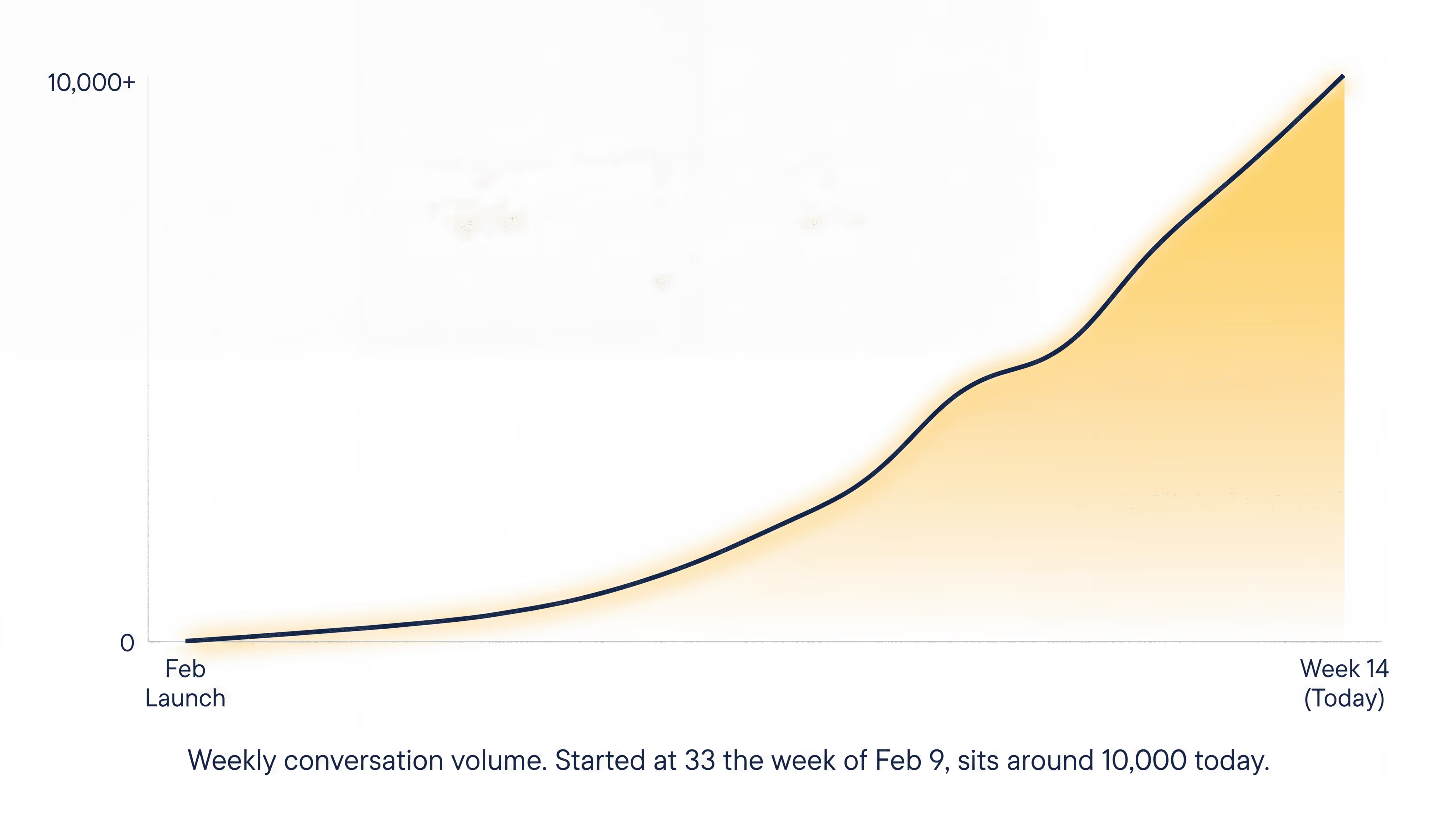
Three and a half months in, the database told the story more honestly than the launch channel did. By then, the majority of people at Nirvana had run a conversation since launch on Feb. 9, a majority of the company. DAU/MAU sat at 59%, closer to a messaging app than an internal tool. The system had produced 63,169 conversations across roughly 16 million agent events, with runs terminating cleanly 99.08% of the time. Weekly volume had grown from 33 conversations in launch week to about 10,000 today. The same humans were doing more, not just more humans showing up.
The objects took. 16,760 artifacts published, 1,014 apps, 715 saved workflows, 358 active schedules running 48,357 scheduled jobs at success rates above 99.5%. The clearest signal was in the names of those schedules: OFAC Screening, Fleet Bind Monitor, Non-fleet Notice Issuance Bot, running every five to thirty minutes, every day. Those are functions that exist only because Nirvana AI exists.
v1 did what it needed to do. It proved that the useful part was not having a clever chat window. It was letting work move without pulling another person out of their day. A question could become a run, a file, a workflow, or a schedule.
That was the operating system hiding inside the beta. Blog 2 is about turning it into something permanent.